
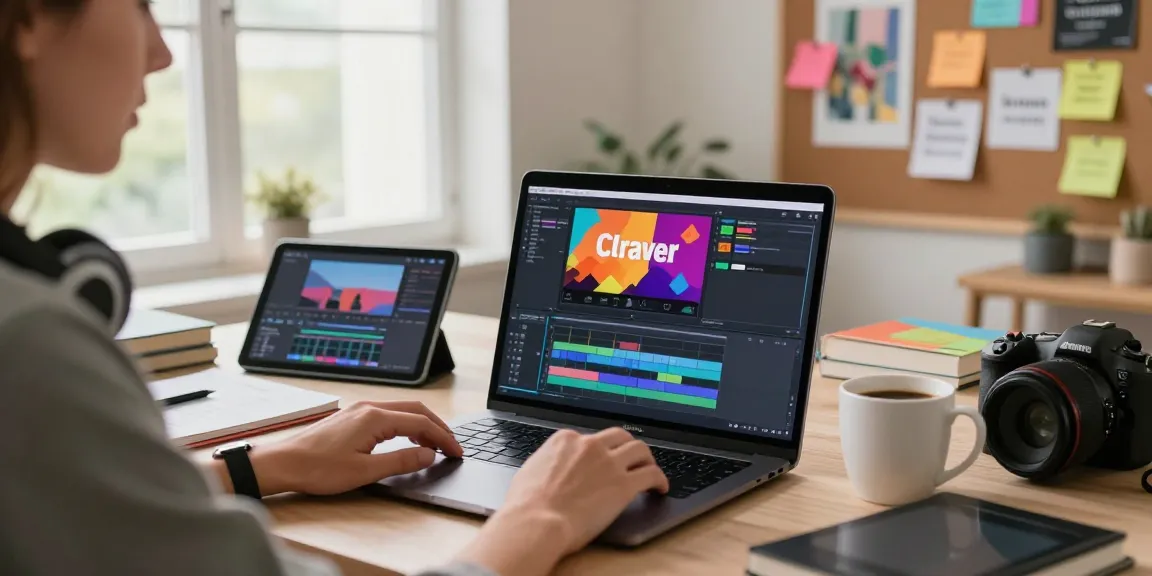

Understanding the Importance of Text Overlays in Video
In an increasingly digital world, video content is a crucial element for communication, marketing, and entertainment. Adding text to videos can significantly enhance viewer engagement and comprehension. Whether you’re promoting a product, sharing an educational tutorial, or creating social media content, embedding text within your videos is an effective way to convey messages, highlight key points, and ensure your audience retains essential information. Mastering how to write text on video can elevate your content quality and viewer experience.
What is Text Overlay and Its Impact on Engagement?
Text overlay refers to the practice of placing written content directly onto video frames, such as captions, subtitles, or titles. This method serves multiple purposes: it can enhance understanding for viewers who may have difficulty with audio, assist those watching in noisy environments, and emphasize critical points throughout the video. Studies indicate that videos incorporating text overlays can increase viewer retention by up to 60% compared to those without textual enhancements, demonstrating the effectiveness of this technique in retaining audience attention.
Benefits of Adding Text to Video Content
- Improved Accessibility: Text overlays make videos more accessible to individuals with hearing impairments, ensuring inclusivity in content consumption.
- Enhanced Information Retention: Visual cues through text can help reinforce the spoken message, making it easier for viewers to recall information.
- Branding Opportunities: Custom fonts and styles can reflect your brand identity and create a cohesive aesthetic throughout your video content.
- Increased Engagement: Eye-catching text can draw viewers’ focus, encouraging interactions such as shares and comments on social media platforms.
Common Misconceptions About Text Overlays
Despite the clear advantages, some content creators hesitate to use text overlays due to misconceptions. One common myth is that adding text makes a video cluttered or distracting. In reality, well-designed overlays can enhance clarity and engagement. Additionally, some believe that text is only necessary for subtitling; however, overlays can also serve promotional purposes, making them versatile tools for various content types.
Step-by-Step Guide: Write Text on Video
1. Uploading Your Video for Editing
The first step in enhancing your video with text is uploading your footage to the editing platform of your choice. Most modern video editing tools, including SubtitleBee, support various file formats such as MP4, MOV, and AVI, enabling seamless integration. To begin, simply click the upload button, select your video file, and prepare to enhance your content with engaging overlays.
2. Creating Effective Supertitles
Once your video is uploaded, it’s time to create supertitles. These are the main text overlays that carry essential information or headlines throughout your video. Consider the message you want to convey and ensure the text is concise and impactful. A compelling supertitle can captivate your audience’s attention right from the start, making them more likely to stay engaged throughout the video.
3. Customizing Text for Visual Appeal
Customization is key when it comes to creating visually appealing text overlays. Adjust the font type, size, color, and background to ensure that the text complements your video rather than detracts from it. Use bold or italic styles sparingly to highlight important information, and select a font that aligns with your brand’s aesthetics. Remember, readability is paramount—choose contrasting colors that allow your text to stand out against the video background.
Advanced Techniques to Enhance Text Visibility
Choosing the Right Fonts and Colors
The typography choices you make can significantly impact your video’s effectiveness. Opt for fonts that are not only visually appealing but also easy to read at various screen sizes. For instance, sans-serif fonts are generally considered more legible on screens compared to serif fonts. Furthermore, color selections should ensure sufficient contrast between the text and the video background, enhancing visibility across different devices.
Timing Your Text for Maximum Impact
Timing is a crucial element in the delivery of your overlay text. Strategic placement and duration of text can direct viewer attention at key moments. Tools like SubtitleBee offer features to adjust when text appears and disappears during the video. By syncing text with specific audio cues or visuals, you can reinforce your message and maintain viewer interest.
Integrating Backgrounds and Outlines
Adding backgrounds or outlines to your text can improve readability against busy video scenes. By designing a semi-transparent background or an outlined effect for your text, you can create a clear separation between the text and the video content. This technique is especially useful for action-packed or visually complex videos where the risk of text being overshadowed is greater.
Tools and Software for Adding Text to Video
Overview of Popular Online Video Editors
As the demand for video content grows, numerous online tools have emerged to facilitate video editing, particularly for adding text. Platforms like Canva, VEED.io, and SubtitleBee provide user-friendly interfaces that allow creators to enhance their videos effortlessly. Each tool has unique features, from customizable templates to advanced editing capabilities, ensuring that users can find a solution that fits their needs.
Comparing Features: SubtitleBee vs. Competitors
Among the plethora of video editing platforms, SubtitleBee stands out for its intuitive design and comprehensive text editing features. Unlike some competitors, SubtitleBee allows users to upload videos directly from platforms such as YouTube and Vimeo, making it accessible for all creators. Additionally, its rich library of over 350 fonts allows for extensive customization, providing users the ability to create videos that truly reflect their brand identity.
Free vs. Paid Options: What to Consider
When selecting a video editing tool, consider whether to utilize a free or paid option. Free versions often come with limitations, such as lower resolution exports or watermarked videos. Paid subscriptions, like those offered by SubtitleBee, grant access to higher quality exports, advanced features, and libraries of fonts and templates, making them worthwhile investments for serious content creators looking to enhance their video quality.
Future Trends for Video Text Editing in 2026
Emerging Technologies in Video Editing
As we look towards the future of video content creation, advancements in technology are set to revolutionize how text overlays are applied. AI-driven tools are becoming increasingly sophisticated, offering automated text generation and smart text placement based on the video content and context. These innovations will enable creators to save time and enhance viewer engagement, paving the way for more interactive video experiences.
Predicted User Preferences for Text Overlays
In 2026, user preferences will likely shift towards more dynamic and customizable text overlays. Audiences will demand content that not only captivates but also personalizes their viewing experience. Video creators will need to adapt by incorporating interactive elements, allowing viewers to customize their viewing preferences—think adjustable text sizes or color settings based on individual accessibility needs.
How to Stay Ahead in Video Content Creation
To maintain a competitive edge in video content creation, it is essential to continuously adapt and innovate. Keep abreast of emerging trends in video editing technology and viewer preferences. Engage with your audience to understand their preferences and apply this feedback to your content strategy. Versatility in your editing approach, including mastering how to write text on video, will set you apart as a leading creator in the evolving digital landscape.
What are the best practices for writing text on videos?
Best practices include keeping text concise, ensuring readability, and timing text appearances for crucial points within the video. Utilize contrasting colors, select appropriate fonts, and consider your audience when designing overlays. Testing variations can also help determine what resonates best.
Can I add multiple text layers at different times?
Yes! Many advanced video editing tools allow you to add multiple layers of text at different intervals. This feature enables creators to enhance storytelling by providing context or emphasizing specific details as they unfold in the video.
Is there a free way to write text on videos?
Yes, numerous online editors offer free versions that allow users to write text on videos. Tools like SubtitleBee, Canva, and Kapwing provide straightforward options for creating text overlays without requiring costly software.
How to customize fonts and colors for video text?
Customizing fonts and colors can typically be done within the video editing software. Users can select from a library of fonts, adjust sizes, and apply color settings that align with their brand identity or video theme. Ensuring contrasting colors enhances visibility and audience engagement.
What formats can I upload to add text to my video?
You can upload various video formats, including MP4, MOV, AVI, WebM, and WMV, to most editing platforms. This flexibility ensures compatibility with a wide range of devices and platforms, making it easier to edit your content efficiently.